Day 2: Building AI search across AliExpress
1. Picking the runtime
Margeen needs somewhere to run. The code has to wake up when something happens on the Shopify side, hit AliExpress, and write the result to a place I can read later. Three platforms were obvious-ish candidates, in the order I considered them.


repository_dispatch REST endpoint lets any external system (Shopify Flow, in our case) start a run. Each run can commit its own result back to the same repo. The repo becomes the database. There is no separate state to lose, no infrastructure to forget about, no extra credentials to rotate. Slower at the edges — a 5–30s queue between dispatch and execution — but for this use case, totally fine.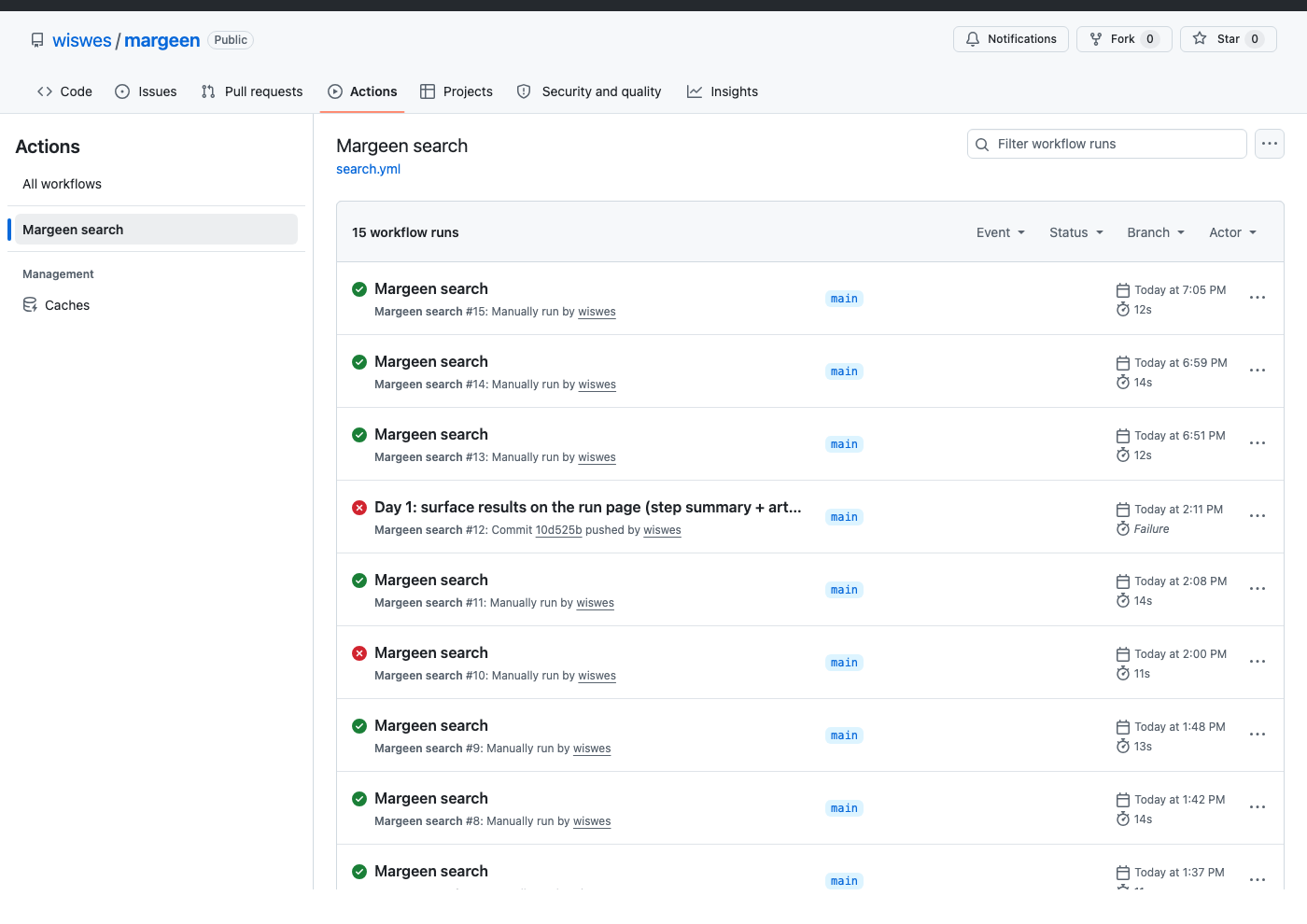
2. Actually building it
Everything below is live on the public repo. The workflow file is .github/workflows/search.yml; the Python script is scripts/search_aliexpress.py; all the past runs sit on the workflow page.
The fetch — Python requests versus curl
With requests.get(...) and a real browser User-Agent, the response was HTTP 200, two kilobytes — a bot-check interstitial. With curl from the same machine, identical headers, six hundred kilobytes of real product HTML. The difference is the TLS fingerprint — curl negotiates HTTP/2 with browser-like cipher suites, requests does not. So the fetcher shells out to curl via subprocess.run; every GitHub Actions runner has curl preinstalled.
What the 2 KB bot-block page contains, verbatim:
<html>
  <head><title>请输入验证码</title></head>
  <body>
    <script src="//g.alicdn.com/sd/punish/2.5.6/punish.js"></script>
    <div id="J_RecaptchaContainer"></div>
    <script>window._dida_config_ = { ... };</script>
  </body>
</html>
What a single product card looks like in the real 600 KB response:
<a href="//www.aliexpress.us/item/3256812035515440.html?algo_pvid=…"
   class="multi--container--..."
   title="5-14Y Boys Jeans Pants Spring Kids Wide Leg Straight Trousers …">
  <div class="multi--image--…">…image tags…</div>
  <div class="multi--price--sale--current">$17.22</div>
</a>
And the actual Python that does the fetch:
# scripts/search_aliexpress.py
import subprocess

result = subprocess.run(
    ["curl", "-sSL", "--max-time", "30",
     "-A", USER_AGENT,
     "-H", "Accept-Language: en-US,en;q=0.9",
     url],
    capture_output=True, text=True, check=False,
)
body = result.stdout
Parsing the cards — and the .us trap
With 600 KB of real HTML in hand, I wrote a regex to pull product cards. Result: zero products. Twelve product IDs were in the response — I could grep them — but the parser found none. I made the script dump the raw HTML to candidates/<ts>.debug.html when parsing produced nothing, then opened the saved file. The hrefs were there, but on aliexpress.us, not .com. GitHub Actions runs on US IPs and AliExpress redirects US visitors to its US subdomain. My regex was hardcoded to .com. One character class change later, twelve products extracted.

blue kids pants — the same product the regex now finds at aliexpress.us/item/3256812035515440. Open the listing · see it in latest.json.# Old: only aliexpress.com
href="(//www\.aliexpress\.com/item/(\d+)\.html[^"]*)"
# New: any 2-3 letter TLD on the aliexpress domain
href="(//(?:www\.)?aliexpress\.[a-z]{2,3}/item/(\d+)\.html[^"]*)"Adding prices
Names and URLs are useful; prices are the point. Inside each card chunk I look for the first $X.YY or US $X.YY. AliExpress renders the headline price in the first one or two spans of the card body, so the first match is reliable enough for today.
# inside parse_items()
price_pat = re.compile(r'(?:US ?\$|\$)\s?([0-9]+(?:[.,][0-9]{1,2})?)')
price_m = price_pat.search(chunk)
items.append({
    "product_id": pid,
    "url": url,
    "title": title,
    "price_str": price_m.group(0) if price_m else None,
    "price_usd": float(price_m.group(1)) if price_m else None,
})
The trigger
Shopify Flow's HTTP action POSTs to GitHub's repository_dispatch endpoint with the prompt as the payload. The full body looks like this:
# Shopify Flow → HTTP request action
URL:    https://api.github.com/repos/wiswes/margeen/dispatches
Method: POST
Headers:
  Authorization: Bearer <PAT>
  Accept: application/vnd.github+json
  X-GitHub-Api-Version: 2022-11-28
Body:
  {
    "event_type": "margeen_search",
    "client_payload": { "prompt": "{{ product.title }}" }
  }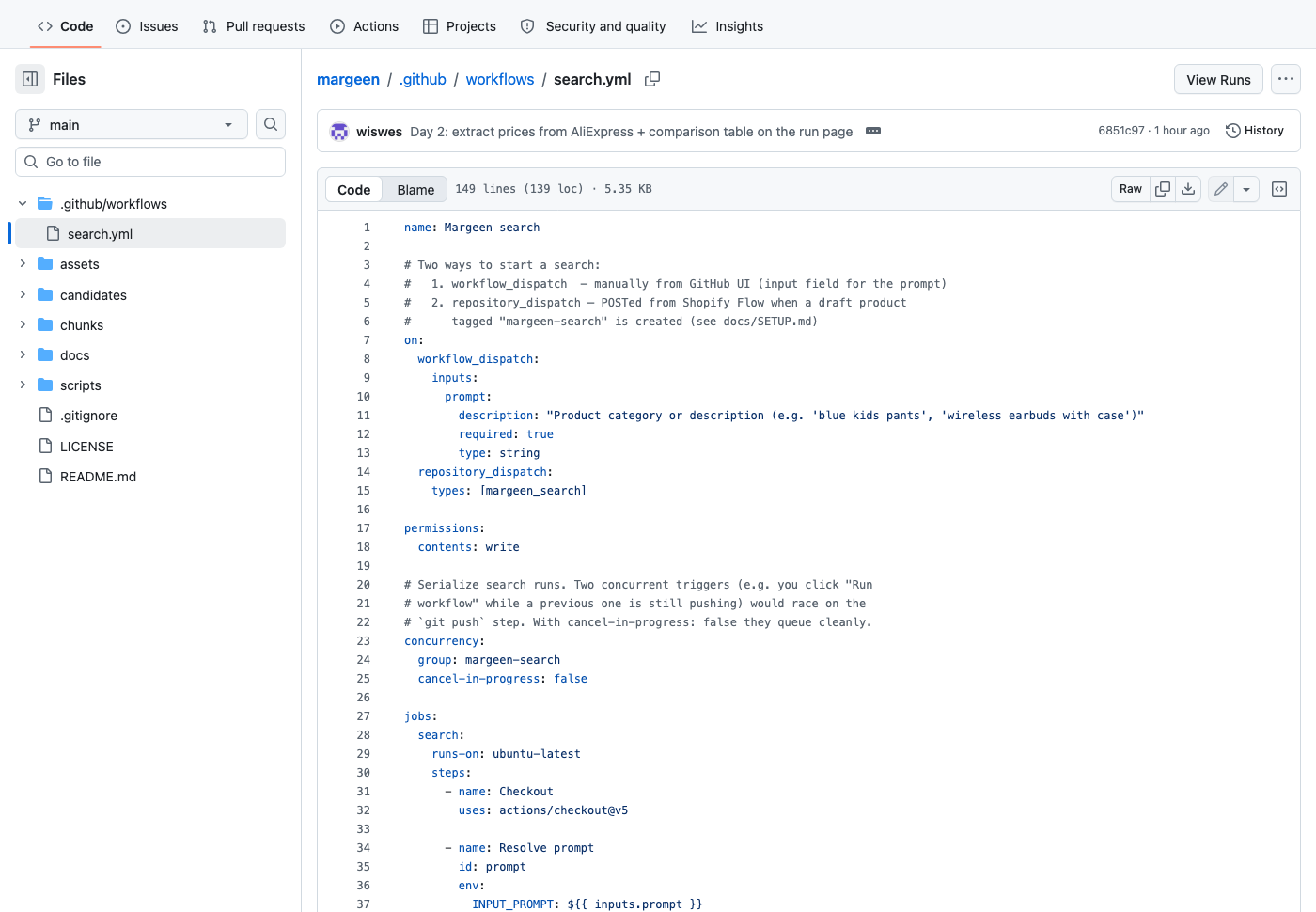
.github/workflows/search.yml. Two ways in: the manual Run workflow button on the Actions page (workflow_dispatch) and Shopify Flow's HTTP action (repository_dispatch).Real evidence — failed and working runs
This is build-in-public. Two real runs to click and verify — one broken, one green, both on the actual project repo:
10d525brun: block to render the top-5 markdown list. The heredoc body sits at column 0, which YAML interprets as the end of the literal block. The workflow never started — "Invalid workflow file" at line 108. Swapped the heredoc for a jq one-liner and pushed the fix.6851c97candidates/, and candidates/latest.json updated. Total elapsed: 14 seconds.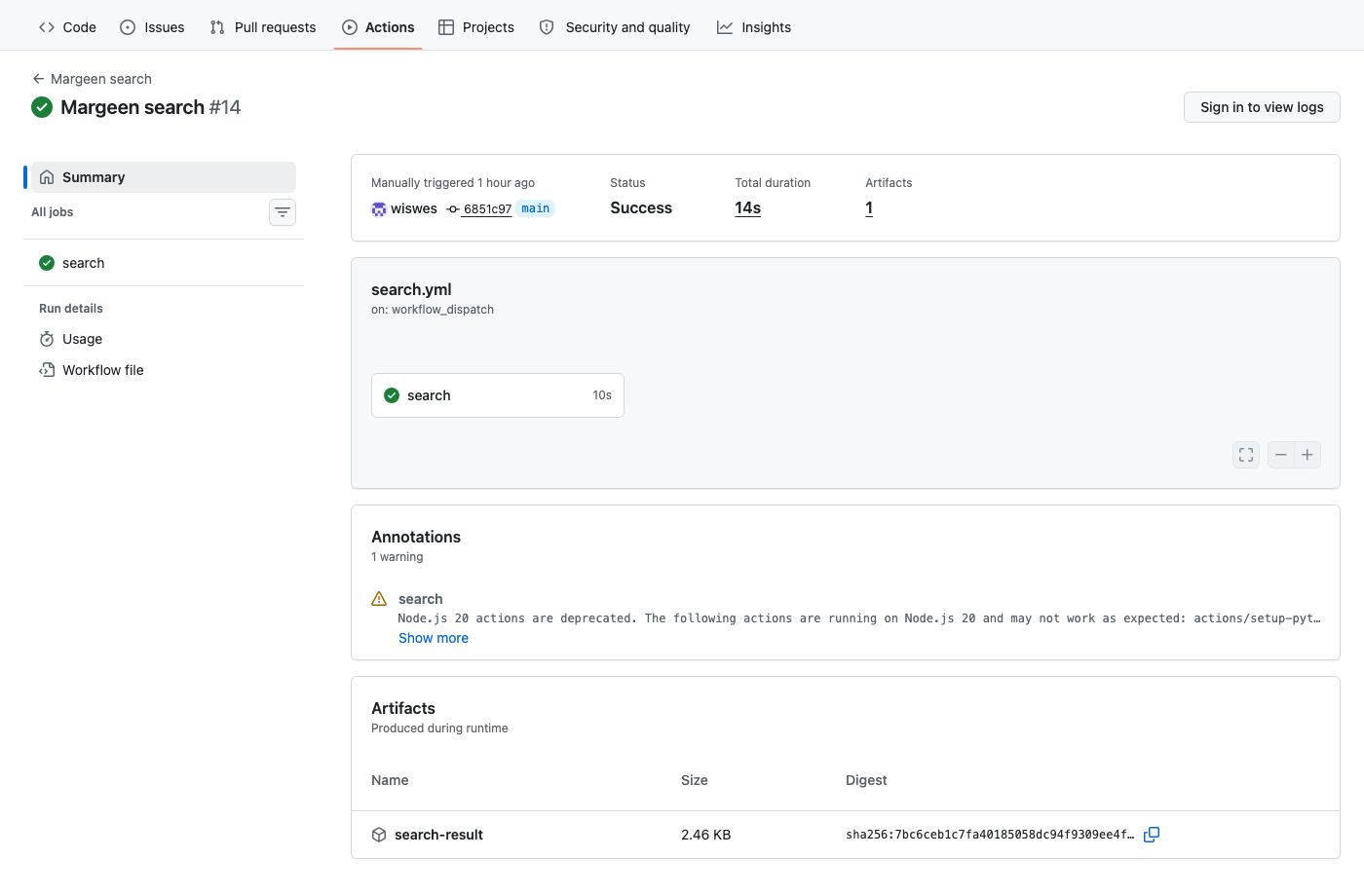
What landed in the repo
Day 2 added five files to wiswes/margeen on top of the Day-1 manifesto skeleton. The current shape of the repo:
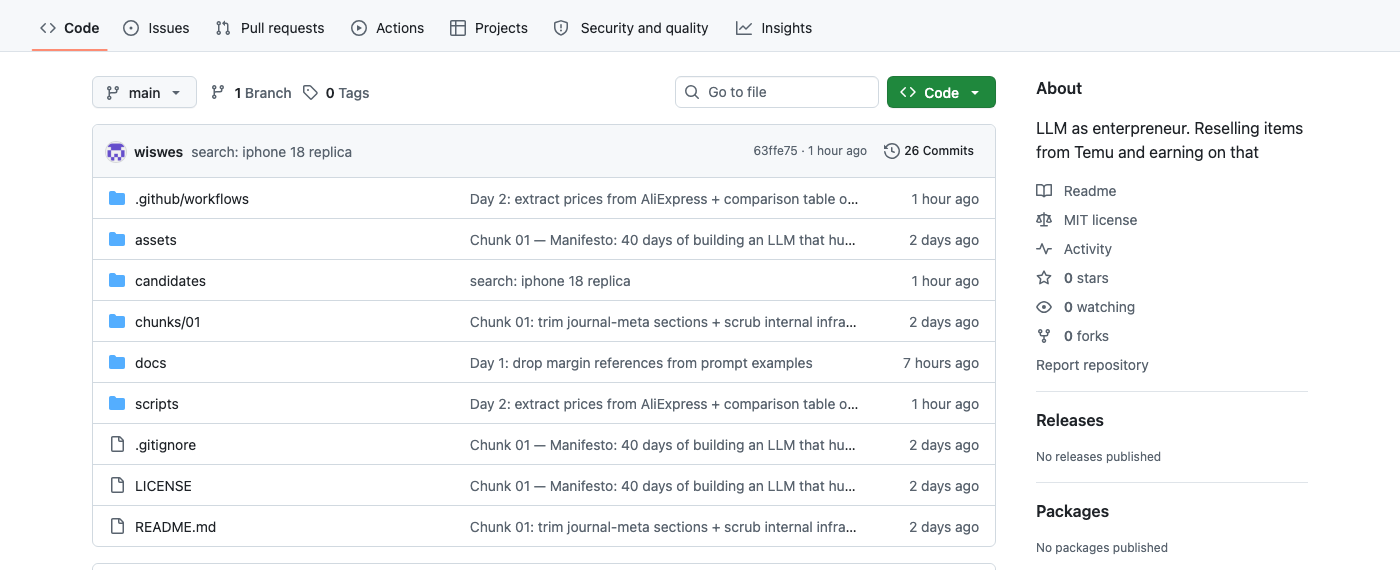
wiswes/margeen. The commit message on the top row ("search: iphone 18 replica") is from the run that wrote the very file in the next screenshot — Margeen is its own audit log.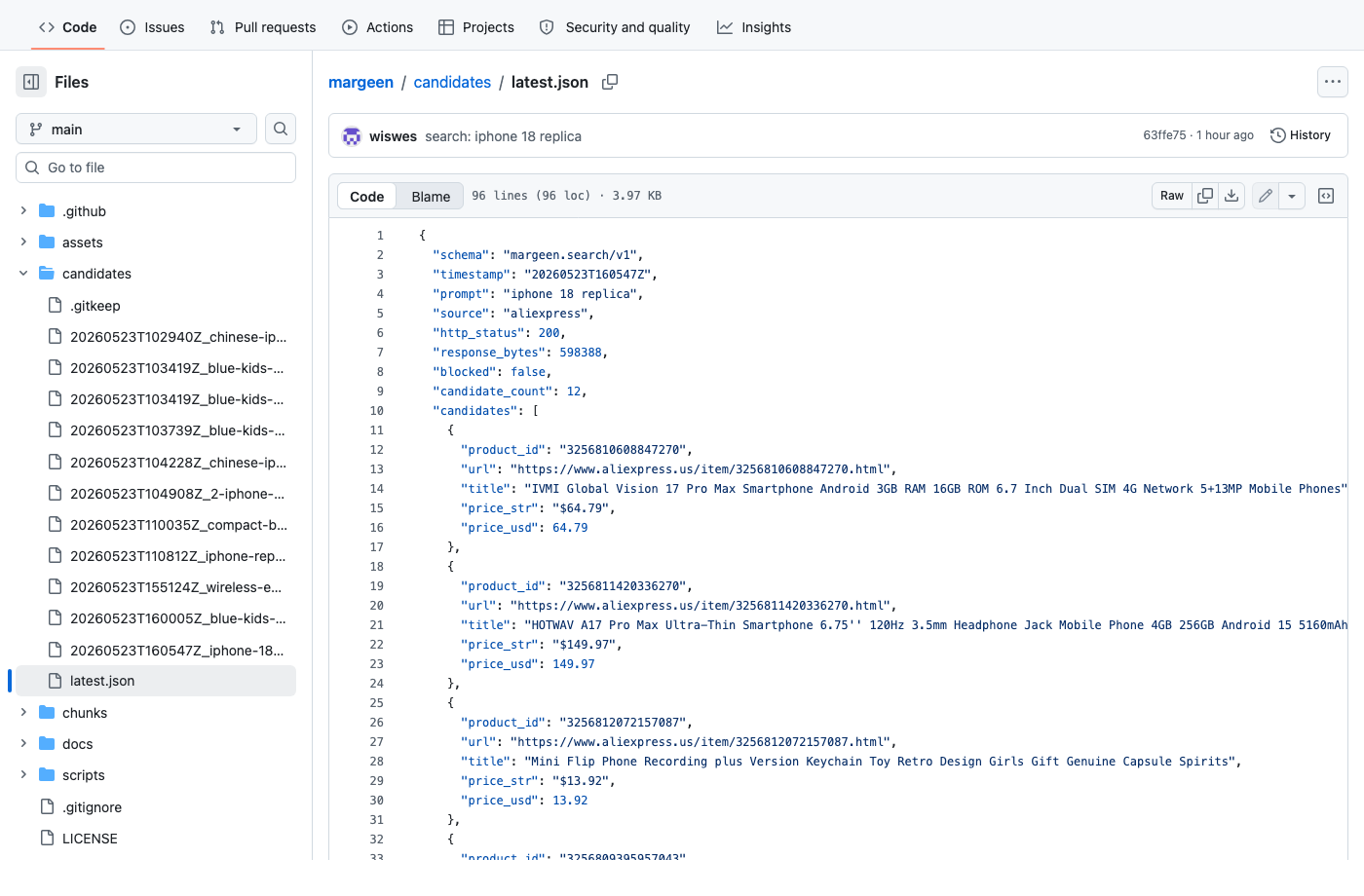
candidates/latest.json — the per-run output, committed to main every time a search completes. The sidebar on the left is the history: every previous run is still on disk, named by timestamp + slug.Four direct links to the live files, in case the screenshots above weren't enough:
.github/workflows/search.yml— the workflow that runs on every Shopify Flow dispatchscripts/search_aliexpress.py— the ~120-line fetcher + parsercandidates/latest.json— the most recent run's JSON output- All workflow runs — the public pipeline page, with every run logged
What AliExpress actually sends back
The wire works. The data is a different story. I tried a prompt I genuinely wanted to test — iphone 18 replica — and the workflow returned twelve products. The first one was this:

iphone 18 replica on this AliExpress listing. A purple plastic flip phone marketed as the SERVO A50 PRO. Calling it "an iPhone 18 replica" would be generous.That's the relevance gap in one image. AliExpress's search ranks by keyword overlap + listing popularity + sponsored placement — like any e-commerce forward index. The word iPhone appears in many unrelated listings as a comparison ("works just like an iPhone"); the word replica cuts across categories (foam fruit replicas showed up in an earlier test). The parser has no semantic idea whether what came back is what you asked for. It just extracts whatever AliExpress put on the page.
How keyword expansion will close that gap
Today the script does one HTTP call per prompt. That single call inherits whatever AliExpress thinks is relevant. Chunk 4 wraps the fetch in a loop, with an LLM expanding the prompt first into 20–30 carefully-chosen variants. Concretely, for the same iphone 18 replica prompt, the keyword expander would generate something like:
# chunk-4 sketch — what Gemini Flash will be asked to produce
prompt = "iphone 18 replica"
keywords = expand(prompt)
# returns ~25 variants:
#   "iphone 18 clone"
#   "iphone 18 dupe"
#   "iphone 18 lookalike"
#   "iphone 18 dummy phone"
#   "iphone 18 mockup display unit"
#   "iphone 18 fake working"
#   "iphone 18 1 to 1 replica"
#   "android phone iphone 18 design"
#   "iphone 18 clone unlocked"
#   "iphone 18 style smartphone"
#   ... 15 more
candidates = []
for k in keywords:
    candidates.extend(search_aliexpress(k))
candidates = dedupe(candidates, by="product_id")
# then chunk 5 does the relevance check
Two things change. One, we get more candidates — different keywords surface different shelves of AliExpress's catalogue. Two, the next stage (chunk 5) reads {prompt, title, supplier_description} for each candidate and drops the ones that don't actually match the user's intent. That is where the foldable flip phone gets filtered out.
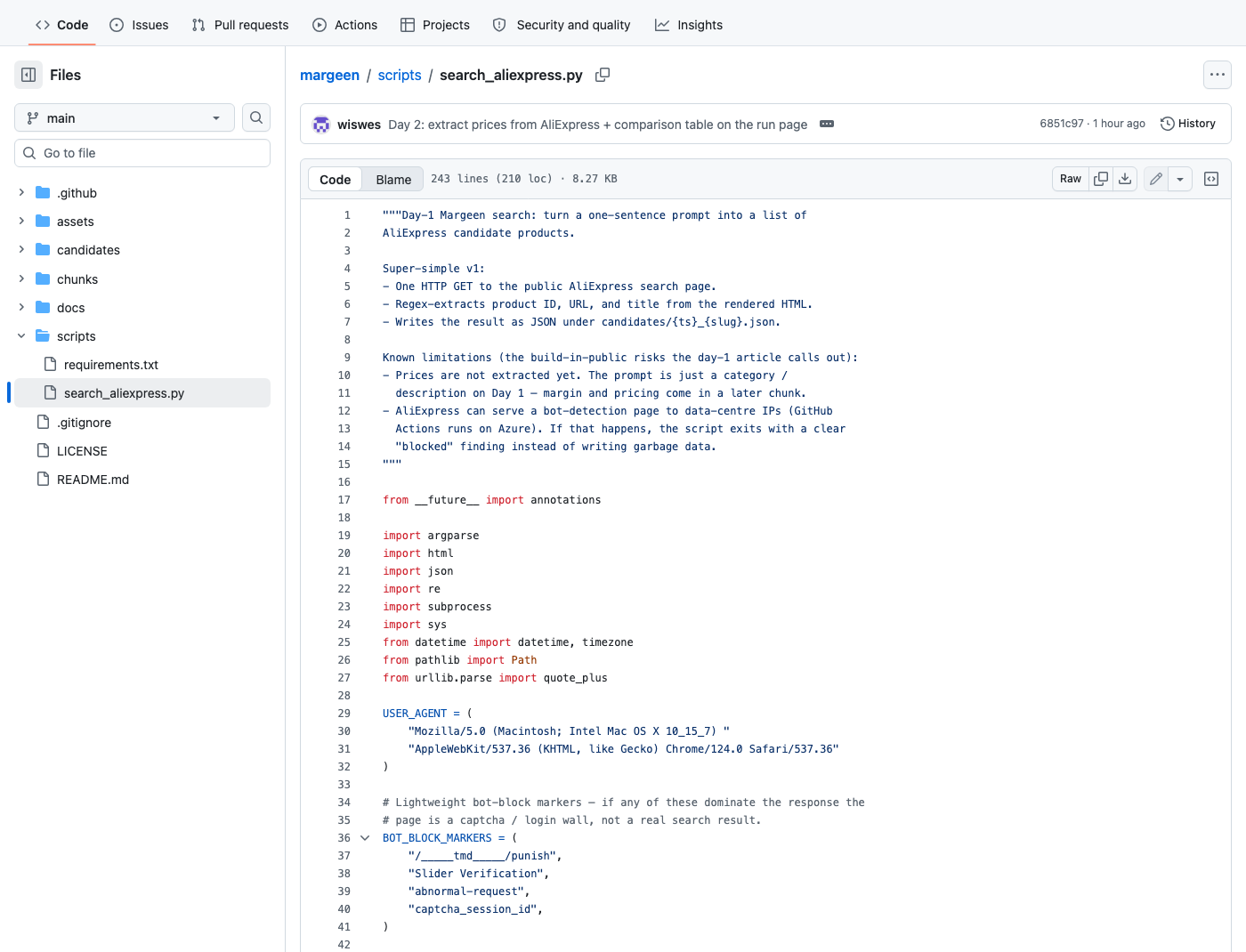
scripts/search_aliexpress.py — what built the white blocks of the inner pipeline today: HTTP fetch (via subprocess), parse + dedupe (with re), commit JSON. Keyword expansion and the relevance check are the next chunks; they will sit at the top of this same file.3. What live results look like today
Every successful run does three things:
| Output | Where | For |
|---|---|---|
| Per-search JSON | candidates/<ts>_<slug>.json | Audit log + future replays |
| Stable latest pointer | candidates/latest.json | One URL — never changes |
| Run-page summary | GitHub Actions run page | Comparison table, cheapest first, clickable titles |
Until today, the only way to see a result was to know the repo's file layout. Now the GitHub Actions run page itself shows the prompt, the candidate count, the link to the JSON, and a sorted comparison table — markdown, clickable, generated by jq. Sample of what landed on a real run:
blue kids pants| Price | Product (clickable) |
|---|---|
| $6.74 | Summer Baby Denim Pants — Casual Soft Blue… |
| $9.92 | 3–12 Yrs Boys Jeans Slim Fit Denim… |
| $10.55 | Children Jeans Boys Cotton Print Splice… |
| $10.89 | Fashion Bow Embroidery Girls Jeans… |
| $13.17 | Baby Girls' Jeans New Style Children's… |
To run one yourself right now:
- Open the workflow → Run workflow, type a category, hit Run.
- Within ~15 seconds, the run page's Summary shows the comparison table.
- For the most-recent result at a stable URL, bookmark candidates/latest.json.